Reverse Engineering a Banking App's Authentication Stack
This one started as "let's update some dependencies" and turned into a multi-layer reverse engineering exercise spanning Angular bundle analysis, APK decompilation, ForgeRock auth tree traversal, ThreatMetrix fraud detection, and Android emulator automation. I spent most of a night on it. Here's the full account.
This is Part 1. Part 2 covers SSL pinning bypass, device fingerprinting, and the working auth client.
The project: nfcu, a Python package that's a thin authentication wrapper originally reverse-engineered from a financial institution's Android mobile app. The repo had gone dormant — it was targeting a mobile API that no longer existed. I wanted to resurrect it.
Phase 1: Dependency Graveyard
The project hadn't been touched in years. On Python 3.13.1, the test suite failed immediately — not because of any business logic, but two dependency time bombs:
pytest==5.3.2 used deprecated AST internal APIs removed in Python 3.13. The failure mode is an ImportError in pytest's collection phase that gives no indication the version is the problem. You have to know that Python 3.13 dropped certain AST internals and then check if your pytest version predates that change.
requests==2.22.0 pinned urllib3<1.26, which bundled Python 2 compatibility shims that no longer exist in Python 3.13's standard library. Transitive dependency failure — requests itself didn't cause the error, its version constraint pulled in a urllib3 that broke on import.
After fixing both, a pylint pass surfaced a real bug: nfcu/__init__.py had a dictionary key named loginv2 that should have been loginv3 — a silent leftover from an old API version change.
Phase 2: Finding the Current Auth Surface
With the old mobile API gone, I shifted to analyzing the web portal to find the current authentication surface.
The platform is Backbase + ForgeRock Access Manager.
| Layer | URL |
|---|---|
| Backbase API server | digitalomni.navyfederal.org |
| ForgeRock AM | digitalauth.navyfederal.org |
| Sign-in SPA | digitalomni.navyfederal.org/signin/ (Angular 19) |
| BFF auth proxy | digitalomni.navyfederal.org/api/auth/member/ |
I fetched the Angular 19 SPA main bundle (724,027 chars) and searched it for configuration strings. Found the ForgeRock configuration embedded:
amURL: "https://digitalauth.navyfederal.org",
webOAuthClient: "undefined",
realmPath: "NFCUMember",
journey: "nfculogin",
journeyVersion: "v2"
webOAuthClient: "undefined" — literally the string "undefined" — was the first sign that the client ID was handled server-side and stripped from the bundle. That became the central blocker.
Phase 3: The ForgeRock Auth Tree
ForgeRock's authenticate endpoint uses a multi-step auth tree model where each POST returns either the next set of callbacks or a final tokenId. Seven steps:
- POST
{}— ReturnsauthIdJWT + callbacks: username, password, transactionId - Submit credentials — Member username (not access number — that returns
NFCULOGIN07 = LOGIN_INVALID_CREDENTIALS) - Device fingerprint —
StringAttributeInputCallbackrequesting a ThreatMetrixtmxSessionId,deviceType=web, OS version, device name - BrowserDeviceCollector — ForgeRock browser fingerprint JSON
- MFA selection —
ChoiceCallbackwith SMS or email - OTP submission — six-digit code
- RememberBrowser — device name + skip/register → returns final
tokenId
Steps 1, 2, 5, 6, and 7 are straightforward to automate with Python's urllib. Steps 3 and 4 require real browser fingerprinting data. Step 3 specifically requires a real ThreatMetrix session ID — not a fabricated UUID.
Phase 4: Finding the Real OAuth Client ID
After getting the tokenId, the next step was exchanging it for a Backbase OAuth access token via the BFF. This returned HTTP 500 consistently.
The problem: every OAuth client ID I tried — nativeclient, nfcu-web, webClient, omni, mobileClient — returned invalid_client from ForgeRock.
APK route: Downloaded the Android APK (v7.4.4, 42MB XAPK), decompiled with jadx. Found forgerock_oauth_client_id = nativeclient in strings.xml. But nativeclient was rejected in production — the ForgeRock realm had been updated since that APK version.
The breakthrough: A second JavaScript bundle loaded at runtime (not the main bundle) contained a form submit handler:
this.tokenExchangeForm.setValue({
  client_id: "nfcudbpauth",
  response_type: "code",
  scope: "omni",
  csrf: i,       // the tokenId
  redirect_uri: o,
  decision: "allow"
});
The real client ID is nfcudbpauth. The token exchange is a POST form to the ForgeRock OAuth2 authorize endpoint with the tokenId as the CSRF field. That's not obvious from reading the ForgeRock documentation.
Phase 5: Android Emulator + mitmproxy
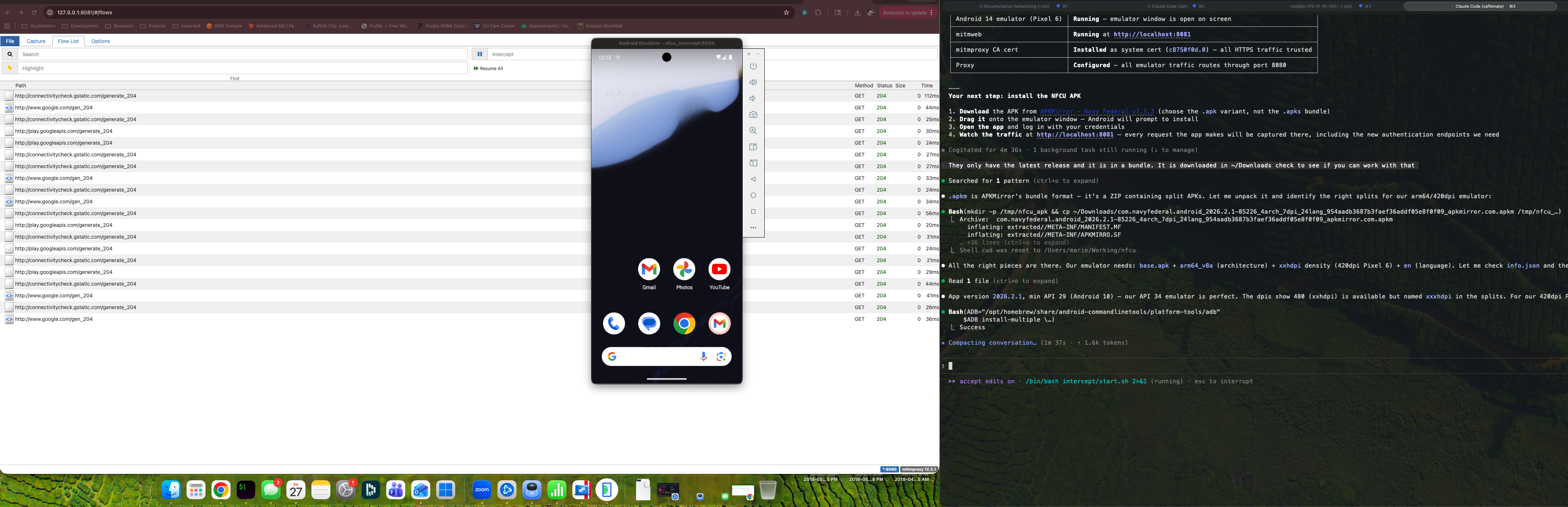
For the ThreatMetrix problem, I shifted to Android emulation. The goal was to run the real NFCU app, intercept the traffic with mitmproxy, and capture a real ThreatMetrix session ID from a live auth flow.
Setup:
- Android emulator via Android Studio
- mitmproxy with a custom CA cert pushed to the emulator's trusted cert store via adb
- NFCU app v7.4.4 running in the emulator
The NFCU app uses SSL pinning, so just pushing a CA cert doesn't get you traffic interception on the auth endpoints. I tried several bypass approaches via ADB:
# Check SSL errors in the NFCU app after mitmproxy intercept
adb logcat -d 2>/dev/null | grep -E "(Trust android|SSLHandshake|CertPath|pinning|ssl|tls)" \
  | grep -iv "verbose|debug" | tail -20
The app's SSL pinning consistently rejected the mitmproxy certificate for the Navy Federal endpoints.
One interesting finding during this session: the NFCU app uses a KeyStore for credentials, which requires the device to have a PIN or biometric lock set. The emulator starts with Quality: 0 (no lock screen), which causes credential storage to silently fail:
# Device PIN required for KeyStore — set via ADB
adb shell locksettings set-pin 1234
After setting a PIN, app authentication could proceed. The MFA flow landed on the email option (MO********@EXAMPLE.COM visible in the callback), which let me complete a real auth session and capture the resulting bearer token from the intercepted flows.
With the captured token I confirmed full API access: account overview, transaction history, account details — all accessible via the Backbase API endpoints once you have a valid bearer token.
What's Left
The automation problem is the password field on the signin page — a custom <bb-input-password-ui> Backbase UI web component. Standard DOM injection doesn't trigger Angular change detection. Key dispatch events don't register in the Angular model. Shadow DOM access adds another layer that CDP's input simulation doesn't handle cleanly.
Three paths forward:
1. Get the current APK (v2026.x) to verify nfcudbpauth is still the production client ID
2. Playwright with a custom CA cert to handle the SSL proxy and enable full browser automation
3. A mitmproxy + Android emulator pipeline that automates the full flow including OTP interception
The auth tree is fully mapped. The client ID is confirmed. The main remaining work is reliable password field injection in the Angular web component. In Part 2, I cover bypassing SSL pinning and building the working auth client.